
Quick answer: which kind of night vision do you need?
| Option | Best for | Needs visible light | Measures temperature |
|---|---|---|---|
| Apple Night mode | Natural low-light photos | Yes | No |
| Night vision filter app | Green or false-color photos and video | Yes | No |
| External infrared or thermal hardware | No-light observation or real thermal data | Depends on hardware | Thermal sensors only |
Technical reference: Apple: Use Night mode on your iPhone
Want to record the live effect? Read the iPhone night vision video guide
Already took the photo? Check its brightness, contrast, and edge detail for free
Understand the three types of night vision app
- Low-light camera tools adjust exposure, focus, and processing while still relying on visible light.
- Night vision filters turn an existing image green, monochrome, or thermal-inspired for photo and video creation.
- Hardware companion apps receive data from an external infrared camera or thermal sensor.
Apple Night mode is not infrared night vision
Apple explains that Night mode turns on automatically in low light on supported iPhones and may take several seconds to capture a photo. Keeping the device steady can improve the result. Night mode works with light already reaching the camera; it does not turn the standard lens into an infrared sensor. Use it for a natural low-light photo, then use a creative filter when you want a green or false-color night vision style.
Features worth checking before you download
- Live camera preview and video recording, not only still photos.
- Photo library import so you can edit images captured earlier.
- Adjustable exposure, contrast, or filter intensity.
- Clear export quality plus simple save and sharing controls.
- Camera and photo permissions that match the feature set and are explained clearly.
How to get a better night vision filter result
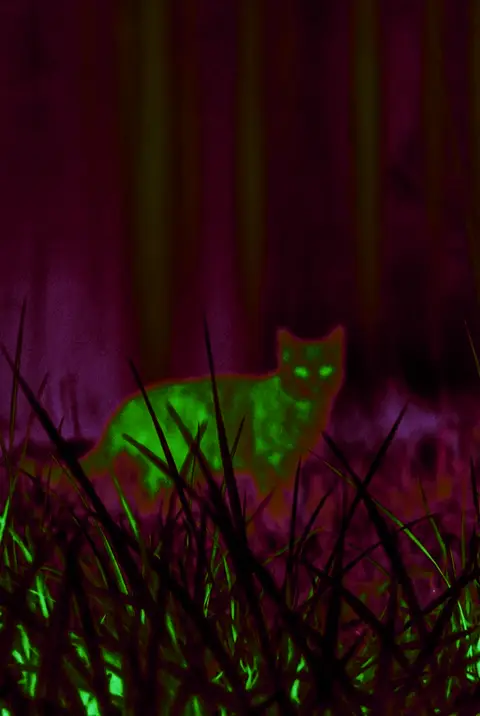
Find a small, steady source of light such as a street lamp, window, or hallway light, and stabilize the phone. Do not lift every shadow; a dark background helps the subject remain distinct. Begin with medium Night Vision intensity and check that eyes, fur, faces, and road edges are still readable.
Respect the hardware boundary
A standard iPhone camera and filter cannot create real objects in complete darkness or detect invisible light like an infrared night vision device. For security, search and rescue, driving, or professional inspection, use lighting, sensors, and safety equipment designed for that task.
Frequently asked questions
Can an iPhone night vision app see in total darkness?
Not with the standard camera and a filter alone. It needs visible light, or separate infrared hardware and illumination.
Can a night vision app record video?
It depends on the product. Thermal Imaging Camera Filters supports photo and video capture with a Night Vision palette.
Is a green night vision effect the same as infrared night vision?
No. Green filtering is a visual style; infrared night vision requires hardware that can capture infrared information.